
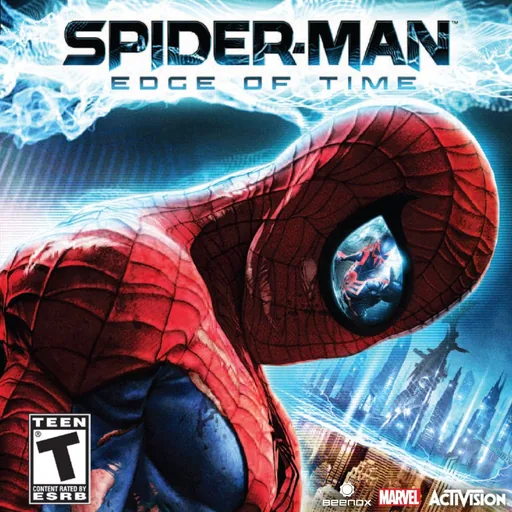
Spider-Man: Edge of Time
KongaTimeUpdated
- V.1.1.1
- 155 MB
- MIT
- zip
Unofficial native PS5 port of Spider-Man: Edge of Time. Requires game files from your own copy.
Release notes
Spider-Man: Edge of Time for PS5 v1.1.1
Install
Unzip the download. You'll get a PPSA99300 folder. Put your .iso and the Title Update file inside PPSA99300, next to eboot.bin. (Optional, for DLC) Make a folder named dlc inside PPSA99300 and put your DLC file in it. Copy the whole PPSA99300 folder to /data/homebrew/ on your PS5 over FTP. Launch Spider-Man Edge Of Time from the home screen. It shows up about 30 seconds after the folder is copied.
First launch The game installs itself from your ISO, with a progress screen. For a quick install: the PS5 slows the copy down after a little bit so there will be a note on the bottom saying you can close it and reopen the game so when the screen says so, close the game with the PS button and open it again. It picks up where it left off, and 2–3 reopens usually does it. You can also just leave it running.
When the install is done, the game builds its menus and achievements (about a minute), then starts. You can delete the .iso and Title Update file after that.
Updating: replace the files from the new download. Never delete profiles/ (your saves) or radv-shader-cache/.
What's new
No PC install needed: it installs straight from your ISO and Title Update. Fixed the "Disc Read Error". Fixed some stuttering during gameplay. DLC support.
Written by KongaTime for V.1.1.1. See this release on GitHub
Comments
Safety
- Stays in the sandbox
- Built by the developer
The scan found no way for this app to reach beyond its own files: no payload, no connection to the payload loader, no request to a jailbreak service.
The developer built and uploaded this file by hand. Nothing ties it to the published source.
From an automatic scan of the release file, which is read and never run. It can miss things: it is not a guarantee. How the scan works
Install
Read the release notes and the project's documentation first. Some apps need extra setup, such as a payload, configuration or additional files, and the developer's instructions take precedence over the general steps below.
- Download
Spider.Man.Edge.Of.Time.V.1.1.1.zipand extract it on your computer. - Copy the extracted
PPSA99300/folder to/data/homebrew/on your PS5, for example over FTP. - A loader such as ShadowMountPlus picks it up. Launch Spider-Man: Edge of Time from the home screen.
Verify
This listing is pinned to one exact file. sha256sum Spider.Man.Edge.Of.Time.V.1.1.1.zip must print:
efed4c5f81c9ae9160e3830bd7385e96f89e499b0135d7655c762f80399b37baThis app and its content are the responsibility of its developer, KongaTime. Homebrew runs with elevated access on a jailbroken console; install only what you trust.
Source
KongaTime/PS5_EdgeOfTimeTitleRelease V.1.1.1
Details
- Title ID
- PPSA99300
- Category
- Console game ports
- Version
- V.1.1.1
- Format
- ZIP folder
- License
- MIT
- File
- Spider.Man.Edge.Of.Time.V.1.1.1.zip
- Updated
No comments yet. Write the first one on GitHub.
Comment on GitHub